Showing posts with label tools. Show all posts

Wednesday, March 14, 2012

Use your stuff!

I'm cleaning out my craft room again and while I do this I'm re-evaluating some of my craft stuff.

I have a lot of stamps, tools and supplies and I hardly use some of them! 

My local scrapbooking store - Scrap Arts - will take some of this stuff off my hands for store credit.  How awesome is that!!

While I go through my neglected craft tools and supplies I thought I'd start a feature called "Use your stuff!" to help me re-learn how to use some of it and also decide if I still needed the tool or supply item.

Today's post is about the SCORE BOARD tool. 

I have several and I like different ones for different reasons and every time a new one comes out I feel compelled to buy it.  But really I just need to use the one(s) I have!

I like the Scor-Pal for the self healing mat that sits right inside and I especially like the Scor-Buddy for taking along in my craft tote. But the bone folder thingy that comes with it doesn't work for me so I've used a stylus with it. 


I like the Martha Stewart Score Board for the 1/8" score lines (right across the board) and the envelope template included (it slides under the board for storage).  I really like that it has stickers with card sizes and where to score, box sizes and envelope sizes too and a flip up storage compartment.  So no instructions to hunt for when you're trying to make something! And again I use a stylus with mine not the bone folder thingy it comes with. 


I like the Stampin' Up! Simply Scored one because it comes with 3 place markers and a stylus - YAY! and now there is an add on Simply Scored Diagonal Plate.  This sits on the score board and allows you to score up to 12x12 paper. .
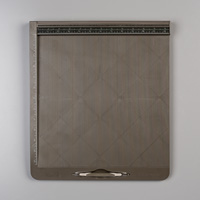
Simply Scored - by Stampin' Up!
I don't have this one but I am very tempted to buy it because it has all the features I like...

but I think I'll pass on it for now since I already own 2 others.

Now getting on to using a score board tool....

I'm pretty sure if you've got one you've probably got the hang of using it for scoring cards but I've been using mine to make envelopes lately and I'm loving it.

I made up some sample envelopes using coloured printer paper.  I'm very visual and I  love to have samples that I can look at!


One of the things I found was that the envelopes are quite a bit bigger than they need to be for the cards they're meant for.  I guess that's not really a bad thing if you've got a thicker card (with lots of layers/embellishments) that doesn't fit in the standard A2 envelope. But I sell my cards and these don't fit in the standard sized cello envelopes.

Now if you have 3D stuff on your cards - like this card I made at a Scrap Arts Make and Take - you might want something with room so that the 3D part doesn't get flattened.


I found this awesome BLOG POST by Kim Duran on how to make a box-like envelope for heavily embellished standard sized cards.

 See how nicely the card fits in there....

Not sure how this would go through the mail - maybe someone can comment on that - but it's perfect for this kind of card and hand delivering!

If you've got some score board tips or comments to share I'd love to read them!

Until Next Time!
Marie

Thursday, August 11, 2011

TIP - ID your Copic Markers!

One of the things that I tell everyone BEFORE attending a Copic class is to label their markers.

There are a few ways to do this easily.

1.  Use another Copic marker (Black)  to write your initials on the barrel of each of your markers.  The advantage to this is that if you ever need to get rid of it (ie. if you sell/trade your markers) you can just use the Blender solution (or hand sanitizer) to remove it. 
If you don't have a Black Copic marker you can use a Sharpie pen but be careful not to use your blender pen to remove that ink as the Sharpie ink will stain the Blender pen nib and may transfer later when you don't want it to! 
Another advantage is that if you ever leave behind or misplace the marker it will make it easy to identify it with your initials.
The disadvantage to this method is that you can't label the marker your using to label your markers.  In this case I would just borrow someone else's (same colour) to label that marker.  DYKWIM?

2.  Use your label maker (who doesn't have one of these???) or print labels off your computer to make personalized labels and apply those to the barrell of your marker.

3.  Use some kind of coloured tape to wrap around your marker.  I personally use thin purple coloured masking tape for my markers.  I like that I can easily visually spot which markers are mine.


My daughter has her own markers now and I used the tape idea to label hers. 

She picked out PINK hockey tape!


Since she's also taking them away to school with her in the fall I'm going to add her initials to each one as well.

Whatever method you use make sure that as you add to your collection of markers you are able to continue with the same labelling process.

If you have any other ideas for labelling your markers please leave a comment.  I'd love to hear it!

Until Next Time!
Marie

Wednesday, August 10, 2011

Becca's Peg Bow Maker

August 10, 2011

If you know me or have taken one of my classes you will know that I am NOT a bow maker!

I'd rather tie a knot than a bow and I sometimes feel that my ribbon embellished cards look the same because of this handicap.

I saw a post by Becca Feeken a while ago where she made her own peg bow maker and I knew that someday I would have to make one of these for myself!

I know that there are lots of tools out there to help you tie bows. 

I have a couple of Bow Easy's but I have to pull out the directions to use them every time. 

I even made myself some "fingers" to help me tie bows (I traced my 2 index fingers onto recycled plastic).


But after watching a few of Becca's peg bow tying videos I realized that her tool was a better one since it really is like having another hand.

So yesterday - while waiting for the garage door repair man - I looked around my garage and found some materials that I could use to make my own peg bow maker.

Here is my version of the Peg Bow Maker:


As you can see mine is not as nicely finished as Becca's but mine will fit in my craft tote and I can take it with me!

I used a scrap piece of MDF baseboard trim (leftovers from the bathroom remodel) and drilled holes every 1/2 inch.  Since I'm making card bows I thought this size would work for me and the funny thing is my trim piece measures out to 5 1/2 x 4 1/4!!

I found a length of thin dowel in the garage (not sure why I had it in the first place but glad I did) and cut it into two 4 inch pieces.

All in all this was very easy to put together and I'm so happy that I made myself a fantastic new tool.

Check out my bows:


Check out the photo below.  Yes - you are looking at a triple looped bow made by me!


Click HERE for the link to this figure eight multiple loop bow video by Becca.

I am happy to say that I am no long "Bow Challenged"!

If you haven't made one of these already I encourage you to do so - you'll be so happy with your beautiful bows!

Thank you Becca!!!!

Until Next Time!
Marie

Monday, April 18, 2011

TIP - Tool time with Marie!

I wanted to call this post - Pimp my Big Shot! 

But other than add a few rhinetsones and glitter letters with my name spelled out I haven't really "pimped" my Big Shot at all or at least enough for a post!


So this post is not about that but it is about altering it to make it work more effectively for me (and maybe you too?).

Today's tip is using a tool (screwdriver) on a crafting tool (Sizzix Big Shot - actually the MPP).

Do you find that your Tab 2 on the Multi-Purpose-Platform (aka MPP) gets in the way?

I hardly ever use it and so I'm always flipping it over and out of the way.

But now that I've finally cleared off my desk enough to give my Big Shot a permanent home - handy so I can use it more - that flapping tab gets in my way all the time!

So why not remove it?

Please note: I said flapping tab not flapping flab! If I had a tip for removing that I'd be a millionaire and my own best customer!


Using a small cross head screwdriver (aka Phillips) I took the Tab 2 off.

But wait there's more....

I didn't stop at Tab 2 I also removed Tab 1 and the hinge on the side. 


I'll keep the hinge and the tiny screws somewhere safe in case I want to add that all back on - see a future post on "How to put your MPP together after you've removed your tabs". Just kidding!

Now I can just add the tabs whenever I need them in a "sandwich".  I'll store the tabs I'm not using under my Big Shot so they don't accidentally get filed somewhere.


Until next time!
Marie

Friday, April 15, 2011

Pleased as Punch!

I have a TON of punches! 

They line my walls on Ikea rails,

they fill my drawers,


they weigh down the over the door shoe holder,


and I even have a box of not-so-favourite punches in my storage closet. 

I've got lots of Spellbinder Nestabilities and Sizzix dies that repeat some of my punch shapes but try as I might I can't give my punches up completely.

I really like the ones that have the size printed right on the punch but if not I use a sharpie and write it on myself.


I love to layer them but sometimes it's hard to keep track of what size nests with what and who it's made by. 

This past summer I was looking all over for a 2 inch punch and finally found one made by Marvy Uchida (it's the blue one).

A while ago I found a fantastic blog post from Kerry where she listed her punches and showed how the punch outs look nested together.

I'd like to share that with you today - click HERE to go to Kerry's Craft Blog post "My Favorite Punches".


Saturday, January 22, 2011

Heat Embossing Tool

At today's class one of the ladies (LA) had a new heat tool that I'v never seen before and now I think I must get myself one.

I've always had the torpedo styled heat tools (Marvy Uchida) but the Heat It one has a handle, is very quiet and it doesn't blow the bits around.  Great for working with UTEE!

This is it:


Does anyone else have this tool?  If so, what do you think of it?

Tuesday, September 14, 2010

Whatever Wednesday - Make Your Own Pick Up Stick!

After posting about my nifty new pick up tool (see HERE)  I saw that someone else had posted on their blog about making your own pick up stick!

Check THIS out!


Saturday, September 11, 2010

Saturday & Sunday Shopping - Quickstik

I'm so excited to share with you this tool that I just picked up. 

It's a QuickStik!  A precision pick up and placement tool.

Do you have nails like me?


Then you know how hard it is to pick up little bits of paper, bling, brads etc.

If you have the same problem then you might want to check this YOUTUBE Video to see how it works.


Saturday, March 20, 2010

Stampin' Up! Mat Pack

I once pulled out the Stampin' Up! Mat Pack at a class and the ladies ohhhed and ahhhhed over it! It really is a handy dandy tool but often when you get a new tool it gets put aside and then you forget why you ordered it in the first place. For me the Mat Pack used to be one of those tools!

I just watched Dawn Griffith's video on how she uses the Mat Pack and I thought it would be a good idea to share that with you (if you haven't seen it yet).

Click HERE to watch it!

I hope that it inspires you to pull out and dust off your Mat Pack and make something with it! If you haven't got a Mat Pack and would like one please contact your local Stampin' Up! Demonstrator.
